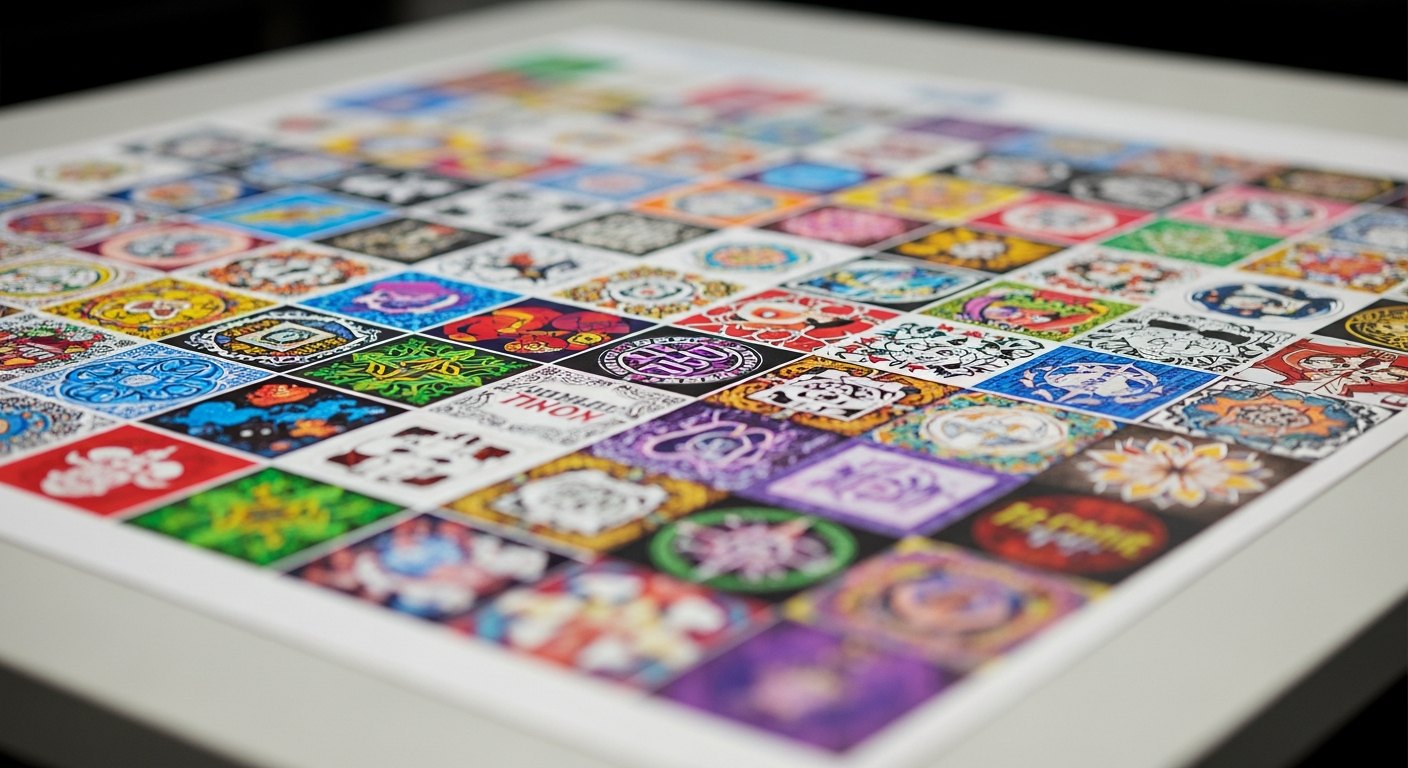
How to Fit More Designs on One DTF Gang Sheet (Nesting Tips That Save Money)
Every empty inch on a gang sheet is money you already spent on blank film. Nesting is how you take that space back and lower your cost per transfer.

Every empty inch on a gang sheet is money you already spent on blank film. Nesting is how you take that space back. This guide teaches the practical nesting tricks that let you pack more designs onto one sheet, so you pay for prints and not for wasted space.
Why nesting is the cheapest trick in DTF
Here is the rule that makes nesting matter: you pay for the sheet area, not for the number of designs on it. A sheet costs the same whether it holds one logo or forty. So the only question that moves your price is how much of that film you actually use.
Leave half the sheet blank and you paid full price for half a sheet of nothing. Fill it tight and every design rides along for a fraction of the cost. That is the whole game. A loosely packed sheet can easily cost two or three times more per transfer than the same sheet packed well.
Nesting is simply the skill of arranging designs so they fit together like puzzle pieces, with as little gap between them as possible. It is the one habit that separates a seller who prints at a smart cost from one who overpays on every order. Master it once and it pays you back on every sheet you ever build.
The nesting mindset: fill the space, not the count
Most people build a gang sheet by thinking about how many designs they need. That is backward. Think about the space instead.
Open the gang sheet builder, drop in what you need, and then look at what is left over. That leftover film is paid-for real estate sitting empty. Your job is to fill it before you check out. If there is room for three more small logos, add three more small logos. If there is room for a spare copy of your best seller, add it. You already bought the space.
This shift, from counting designs to filling area, is what turns nesting from a chore into a profit lever. You stop asking "did everything fit" and start asking "is any film going to waste."
Practical nesting tips that save money
These are the moves that fill a sheet fast. Use them in roughly this order and you will rarely leave usable space behind.
1. Place your biggest designs first
Anchor the layout with your large pieces: full back prints, big front graphics, anything oversized. Put them down before anything else. Large designs are the hardest to fit, so give them the open room first. Once they are set, everything smaller can work around them.
If you try to place big designs last, they end up stranded with no room, and you waste a whole corner of the sheet.
2. Group designs by size
Line up designs of similar height in the same row or band across the sheet. A row of left-chest logos sits neatly together. A row of small name tags sits in another. Grouping by size keeps the rows even and stops the ragged, stair-stepped gaps that open up when big and small pieces are mixed randomly.
Even rows are tight rows. Tight rows are cheap rows.
3. Rotate to fill the gaps
Not every design is a neat rectangle. Tall designs, angled text, and odd shapes leave triangular dead space around them. Rotate them. Turning a design 90 degrees, or flipping its orientation, often lets two awkward shapes interlock where they would not fit side by side.
Spin a shape until its edges line up with its neighbors. The transfer presses exactly the same no matter which way it sat on the sheet, so there is no downside to rotating purely for the fit.
4. Tuck small designs into dead space
After the big pieces are down, you will see pockets of leftover film: the space beside a circular logo, the strip under a short design, the corners. This is where small graphics earn their keep. Pocket prints, tiny logos, sleeve hits, and single names are perfect gap-fillers.
Keep a small library of your common small designs ready to drop in. Every one you tuck into a gap is a transfer you got almost for free, because that film was already paid for and otherwise wasted.
5. Duplicate to top off the sheet
When you have nested everything and there is still open film, fill it with copies. Need your best-selling logo? Add a few extra. Running a batch of name tags? Add more. Duplicates cost you nothing beyond the space they take, and that space was going to be blank anyway.
This is how smart sellers build stock. Instead of shipping a half-empty sheet, they top it off with inventory they know they will use. The order costs the same, and they walk away with extra transfers in the drawer.
6. Mind the margin and the gap between designs
Tight does not mean touching. Keep a small, even gap between every design so you can cut each one apart cleanly after the sheet arrives. Designs that overlap or crowd the very edge are hard to trim and can get clipped.
So pack close, but leave each design a little breathing room and respect the sheet's outer margin. The builder shows you the printable area. Keep your art inside it. The goal is tight and clean, not jammed and risky.
How to nest in the Titan gang sheet builder
You do not have to eyeball any of this by hand. The gang sheet builder is a drag-and-drop canvas sized to a real sheet, and it does the heavy lifting.
- Upload your designs. Drag your artwork onto the canvas. Use transparent PNG files so nothing prints inside a solid box. If your files need cleaning up first, start with gang sheet file setup.
- Set each design to its real pressed size. Scale every graphic to the exact size you want it on the garment before you worry about layout. Nesting only works once the sizes are right.
- Use auto-nest to pack it instantly. The builder can arrange your uploaded designs tightly for you, closing gaps and lining up rows automatically. This gets you most of the way there in one click.
- Fine-tune by hand. After auto-nest, drag anything you want to adjust. Rotate an odd shape, slide a small logo into a leftover pocket, nudge a row tighter. This is where your eye beats the machine.
- Fill the leftover space. Look at what is still blank and add duplicates or small designs until the sheet is full. Do not leave paid-for film empty.
- Review and order. Check that nothing runs off the edge and every design has a clean gap around it. The builder exports one print-ready layout.
Picking the right sheet size is part of this too. A size that matches your order leaves less to waste. See gang sheet sizes for how to choose, and gang sheet pricing for how filling the sheet changes your cost per transfer.
A simple way to check your work
Before you order, ask one question: how much of this sheet is blank? If the answer is "barely any," you nested well. If you can see open strips and empty corners, you have money left on the table.
Walk the sheet corner to corner. Every pocket of dead space is a prompt to add a small design or a duplicate. When you genuinely cannot fit one more useful transfer, the sheet is done. That is a fully maximized gang sheet, and it is the lowest cost per print you can reach on that order.
When you are ready, build and nest your gang sheet here: gang sheet builder. Need the transfers themselves? Start with DTF transfers.
Frequently asked questions
Auto-nesting, low-res warnings before you pay, shipped same-day from Texas.
Open the builder →